Jaha for IT and Ops
Say it in the meeting, and the ticket follows once someone approves.
A phrase you choose suggests a workflow while the call is on. One approval, and the run files the ticket, posts to the channel and logs every step.

IT and Ops
A week with Jaha
In the meeting
A phrase becomes a suggestion
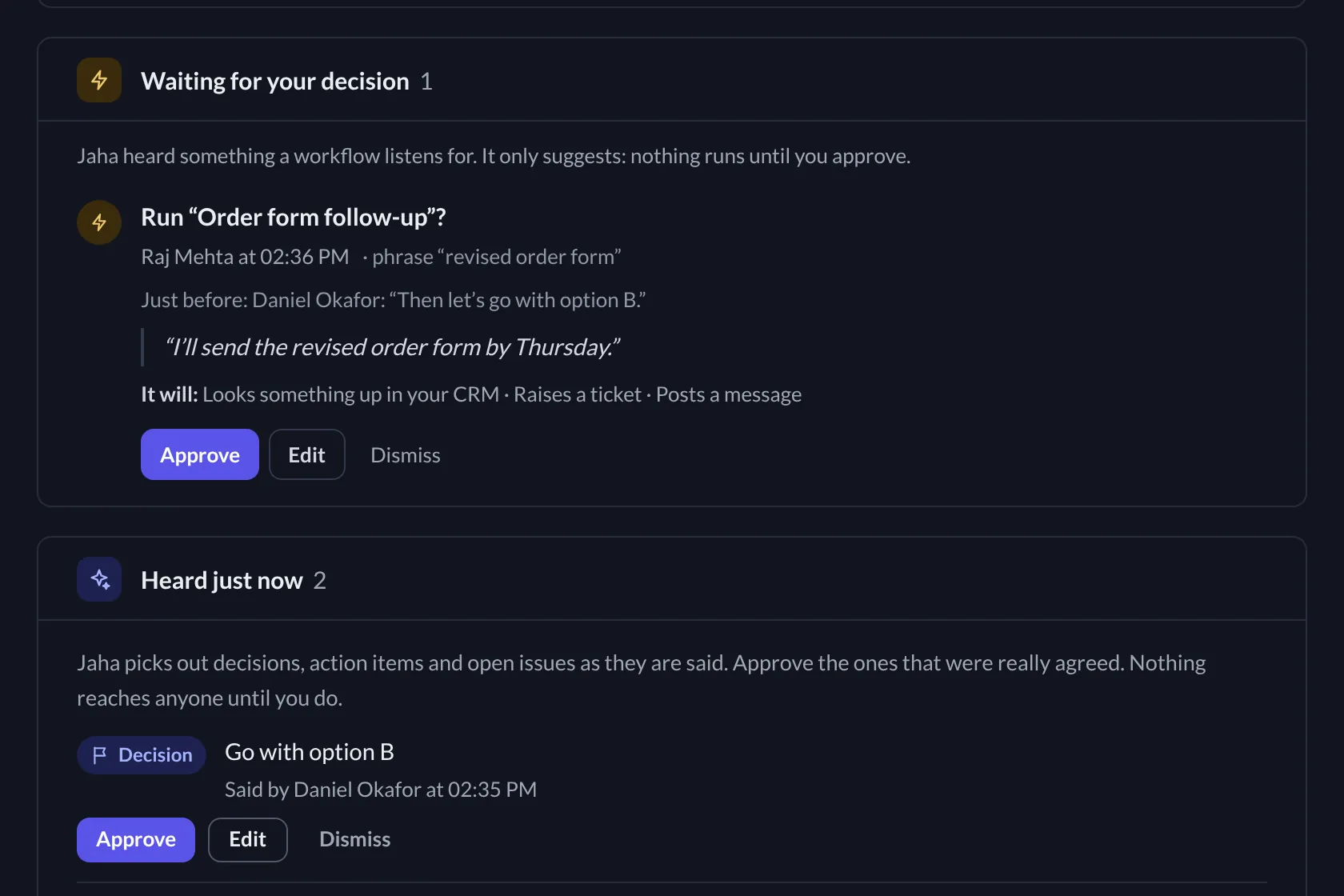
When someone says the phrase a workflow listens for, Jaha suggests that workflow in the meeting. Nothing runs yet.

In the meeting
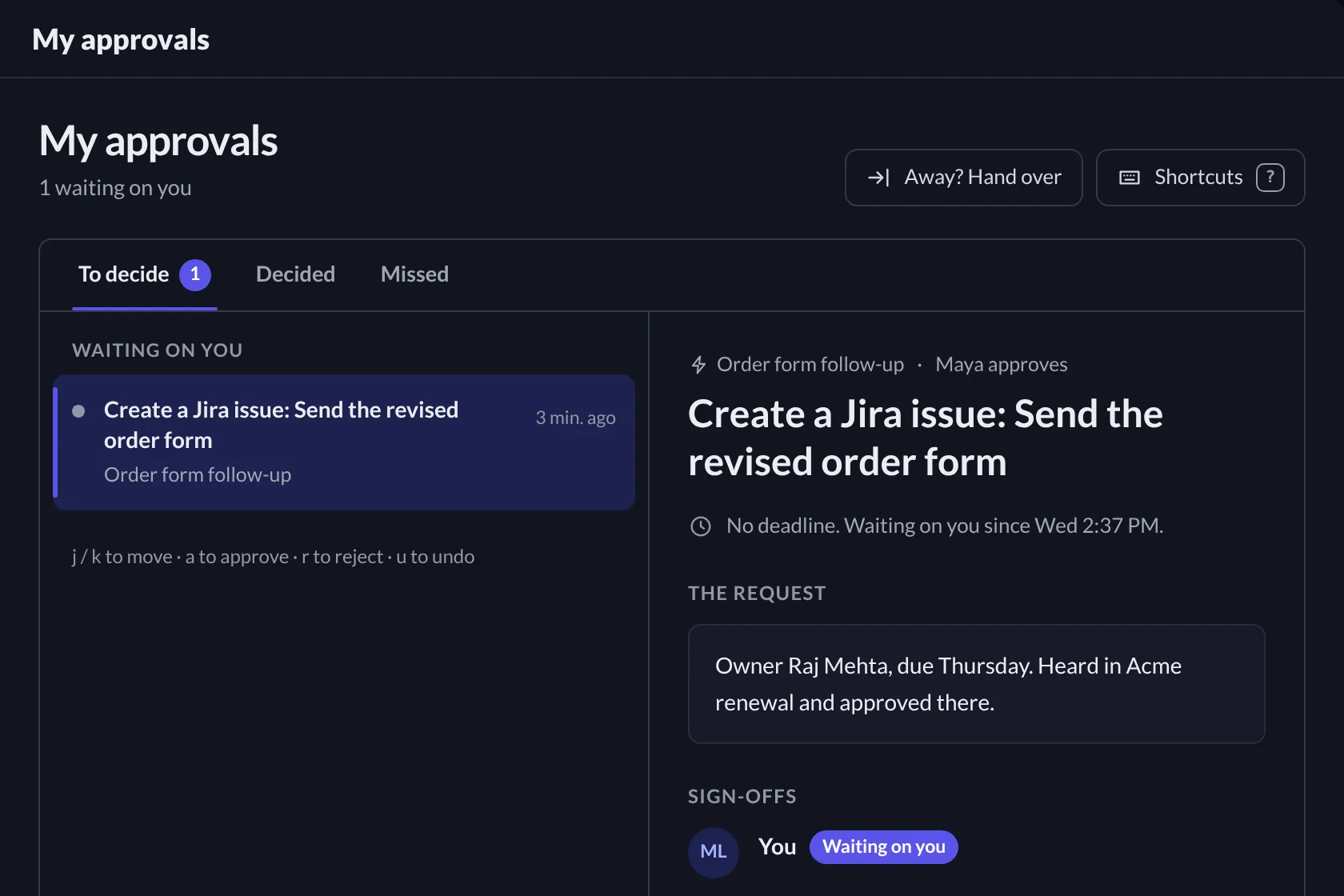
One approval
The person the rule names approves it, with the quote in front of them and the steps the run will take.

After
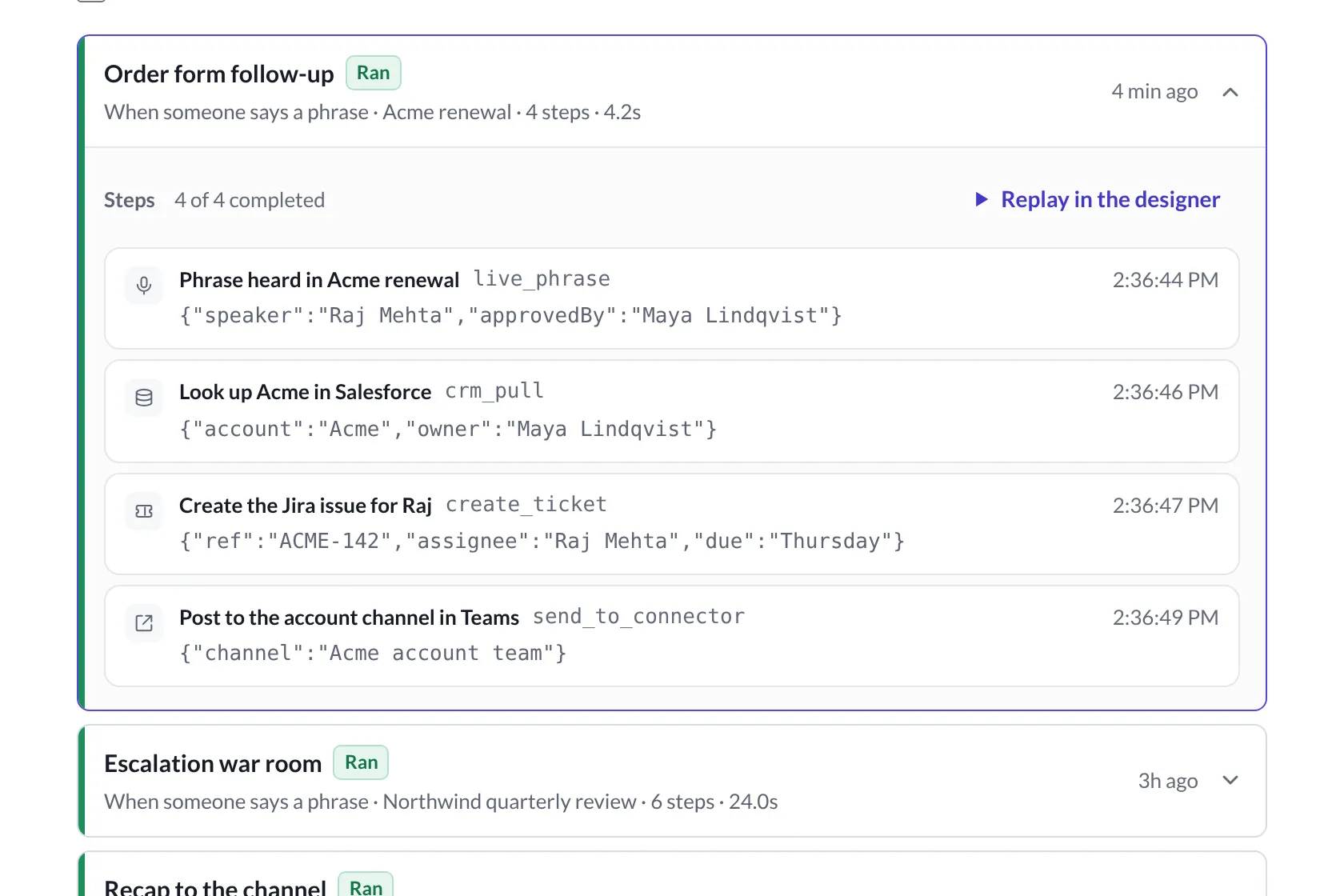
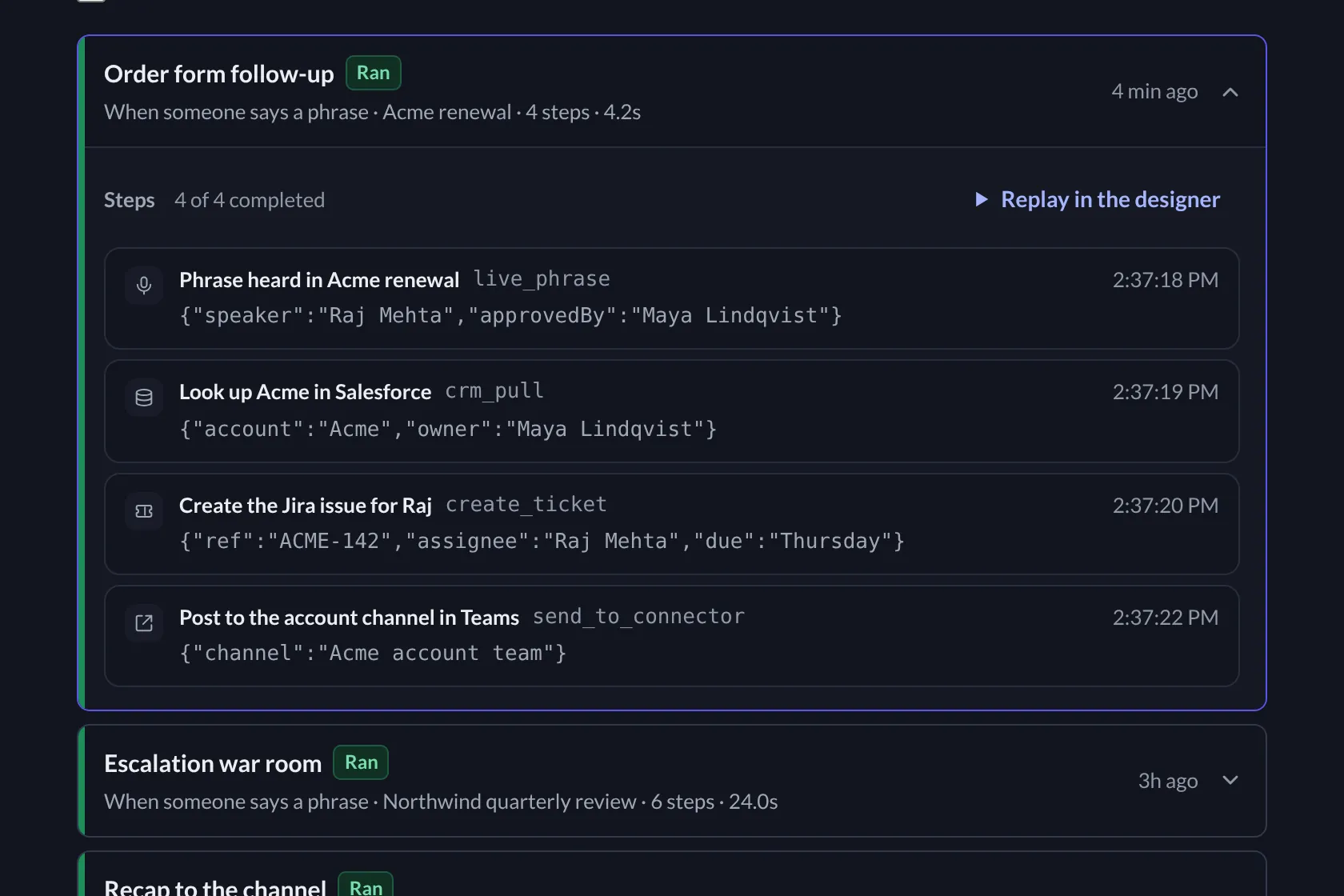
The run, step by step
Each step is logged with its time and output: the CRM lookup, the Jira issue, the post in Teams.
Follow-through
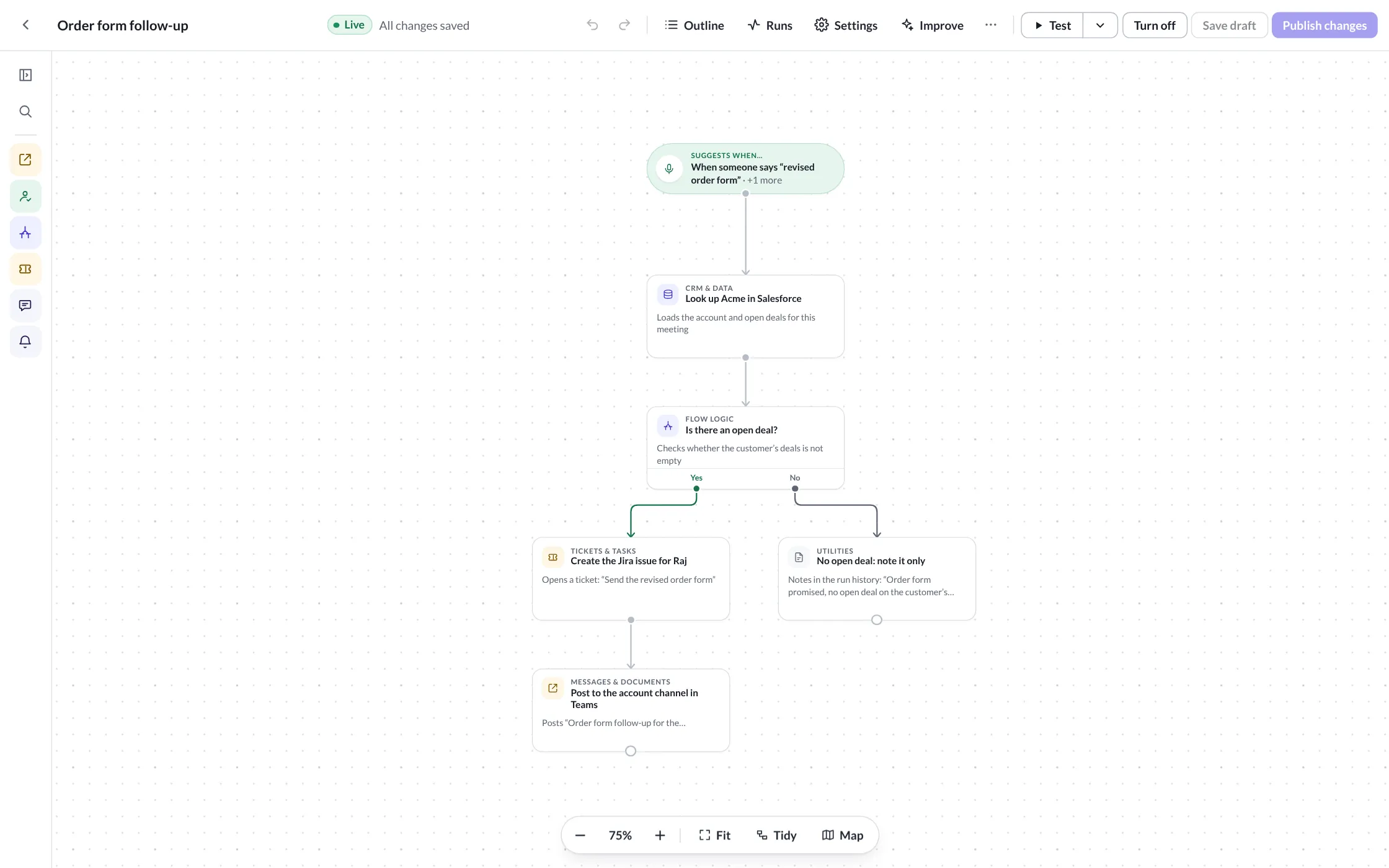
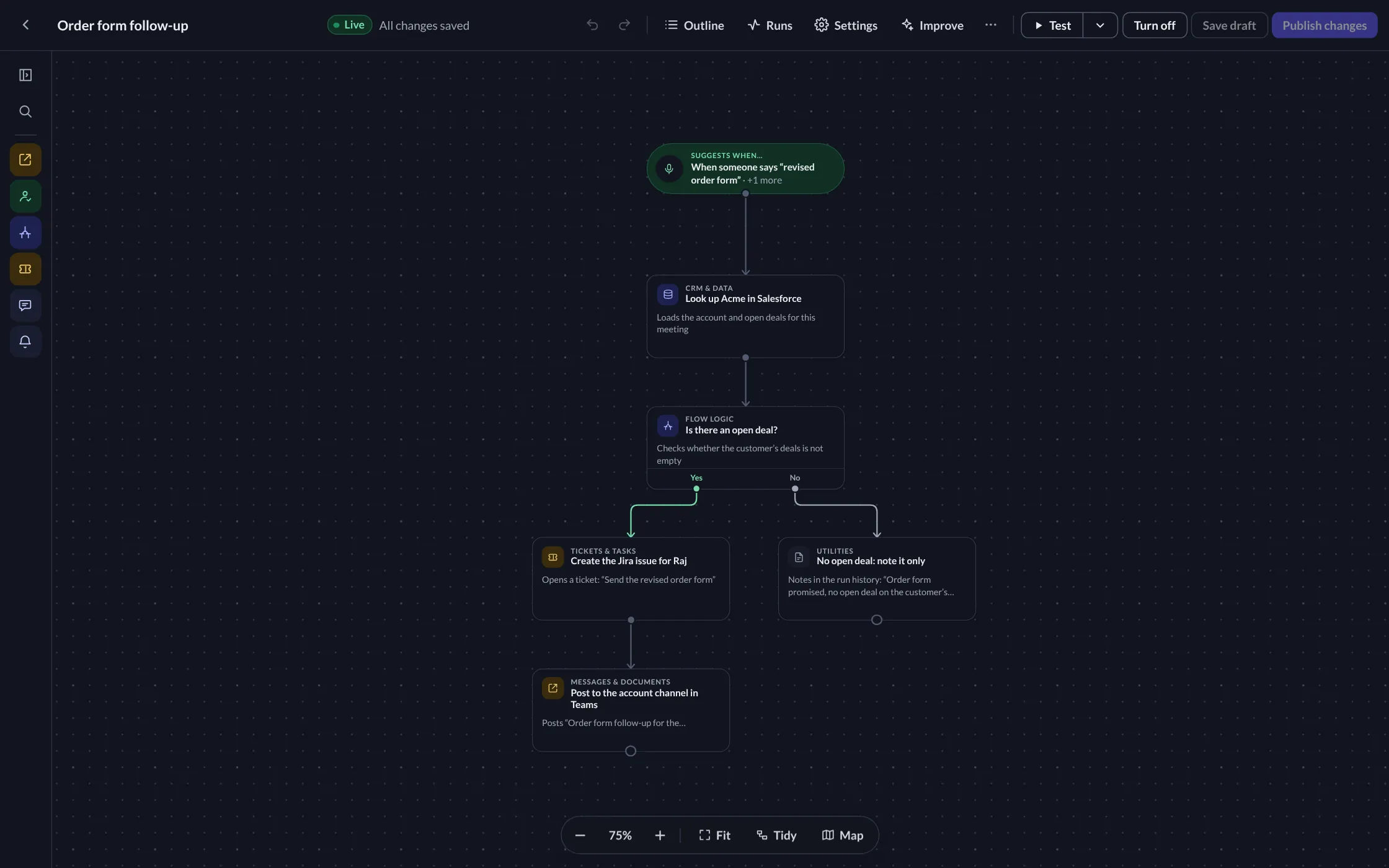
Build the rule once
Choose the phrase, add the steps and branch on what Jaha finds. Tickets go to Jira, ServiceNow, Zendesk or PagerDuty.
On the record
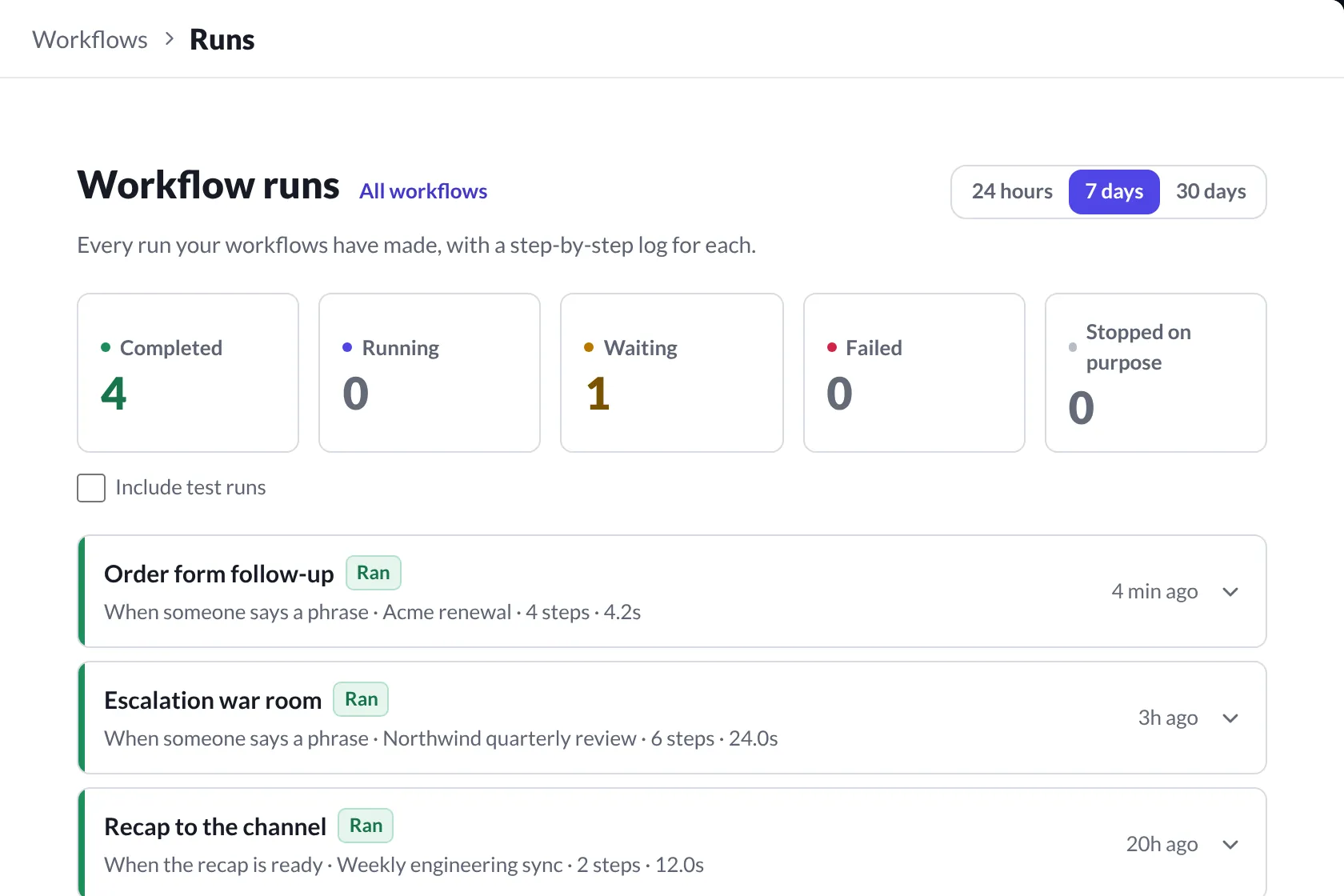
Every run on the record
It runs once someone approves, and every run is logged step by step.

Where it lands
The tools this team already works in. Each one has a page with what Jaha reads and writes there.


What it won’t do here
Runs nothing on a phrase alone
A phrase said in a meeting suggests a workflow. It runs once someone approves.
One issue, one ticket
Creates a ticket as soon as someone raises a problem in a meeting. One ticket per issue, no matter how often it comes up.
Every send tracked
A failed send never disappears quietly. It stays visible until it goes through.
Try it in your next IT and Ops meeting.
One admin consent, nothing to install.